GS1 QR Codes have launched in MyGS1 - 10 Top Tips for Members!
We are excited to have launched GS1 QR Codes in MyGS1, the GS1 New Zealand member platform!
GS1 QR Codes are now available for members who have access to the new, improved MyGS1 platform. This is a major development for members as GS1 QR Code graphics can now be created and downloaded for use on retail products alongside traditional linear barcodes in one place - MyGS1. If you are familiar with MyGS1 you will notice some changes to the user interface and functionality around barcode graphic downloads.
Here are our 10 top tips as you explore GS1 QR Codes!
1\. GS1 QR Codes are different to normal QR Codes
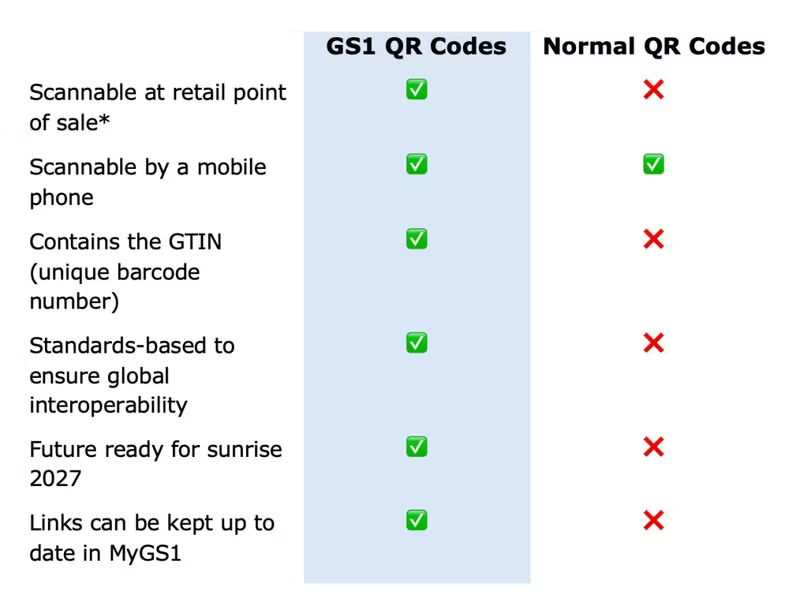
\*GS1 is working globally with retailers to have GS1 QR Codes scannable at retail point of sale by the end of 2027
2\. GS1 QR Codes can both beep at POS and are scannable with a phone!
GS1 QR Codes can both 'beep at point of sale AND are scannable by a consumer with a smartphone. GS1 is working with retailers as part of ‘Sunrise 2027’ to enable GS1 QR Codes to scan at point of sale – get ahead now by implementing consumer-facing GS1 QR Codes to connect to your customers so you can start experiencing the benefits now.
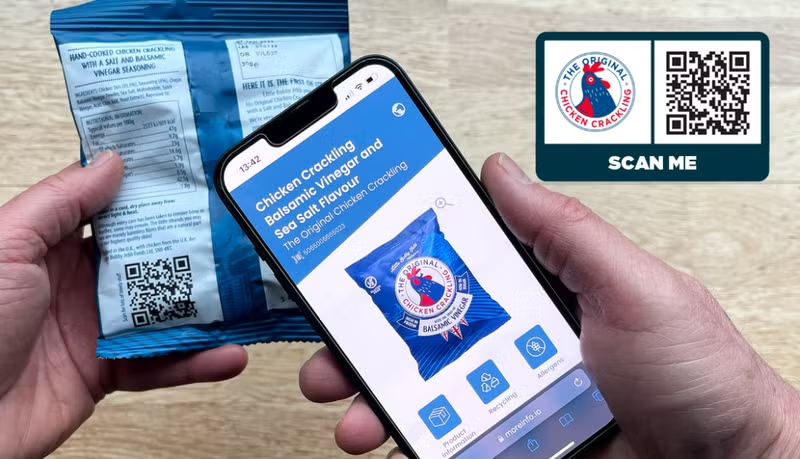
3\. You will need a linear barcode alongside your GS1 QR Code (temporarily)
During the transition to a GS1 QR Code and an EAN-13 barcode must be used together to ensure your product can be scanned by all retailers at point of sale. GS1 is working with retailers to have GS1 QR Codes scannable at point of sale globally by the end of 2027.
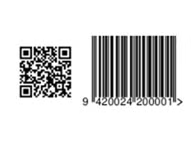
4\. Decide if you want to use your own re-direct service or GS1 NZ’s
The re-direct of your URL link is managed by the GS1 Resolver. Your link will look similar to this:
https://id.gs1.org/01/09420024200001
Using GS1 to manage redirection means a GS1 digital link is embedded in your GS1 QR Code. If you later decide to manage redirection yourself (e.g. by implementing your own resolver rather than using -GS1's), you will need to generate a new GS1 QR Code and update your packaging, so it reflects your new digital link.
MyGS1 will be updated to enable you to use your own re-direct service in the first quarter of 2026.
5\. Decide what link to use in your GS1 QR Code
Decide what link you want to use for your Product Information Page Link. This is the URL users will be redirected to after scanning the GS1 QR Code on the product. If you don't have a dedicated product information page yet, you can use a temporary URL like your company website or a social media page and update it later once your product page is ready.
6\. Your link will be in the Global Product Registry (awesome!)
Your link data is shared with the GS1 Global Registry Platform and is available for public viewing – which is great for searchability on the web. It also means your URL link and master product data can be searched by global search engines and platforms like Google and Amazon.
7\. If you want ‘dynamic data’ in your GS1 QR Code, ask us
GS1 QR Codes generated in MyGS1 are ‘static data’ only meaning they simply contain the GTIN (barcode number) and a URL link. If you want to explore using ‘dynamic data’ like best before date, batch numbers or similar in your GS1 QR Codes let us know and we will put you in touch with the right providers to make it happen.
8\. GS1 QR Codes are different from GS1 Datamatrix
There are a couple of what are referred to as‘next generation barcodes’ one being a GS1 QR Code but also a ‘GS1 Datamatrix’ which is different from a GS1 QR Code. A GS1 Datamatrix is generally used in supply chain processes or for internal functions. They are commonly used in Healthcare but are in use across other sectors. If you are needing a GS1 Datamatrix, contact us and we can support you to make this happen.
9\. Check you have access
GS1 QR Codes are currently only available for users who have access to the new, improved MyGS1 platform to download. The good news is that we are migrating all members across to the new platform, so watch this space! If you don’t have access but want to start exploring GS1 QR Codes us know and we can work with you to provide you the graphics you need. You will need to have created a product first in MyGS1 in order to create a GS1 QR Code.
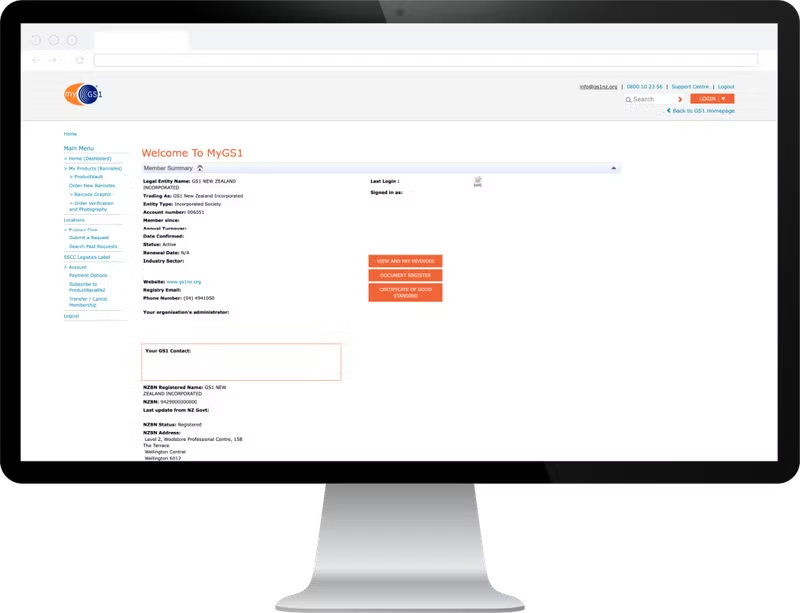
Legacy version of MyGS1
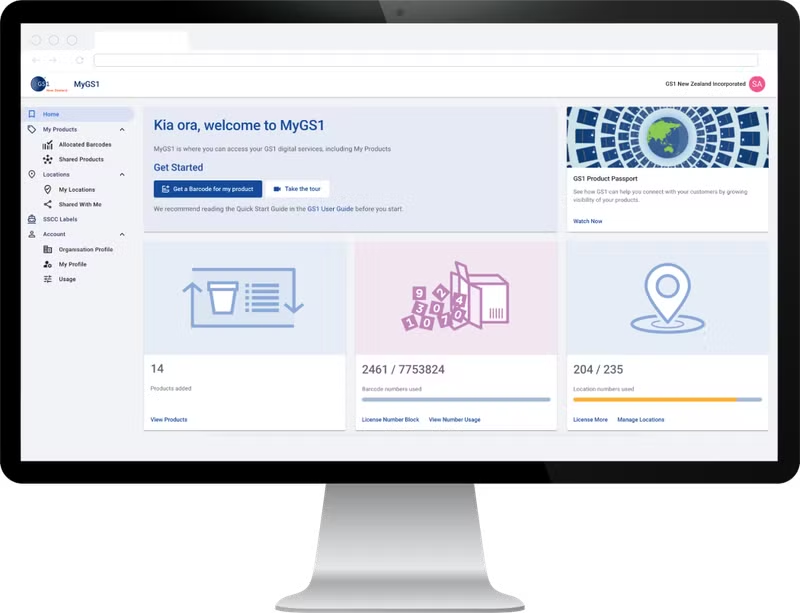
New version of MyGS1
10\. We are here to help!
Enjoy exploring the new features – and know that we are here to support you!
The GS1 NZ team is only a phone call or chat away from supporting you to make the most of GS1 QR Codes. Reach out to our team if you have any questions: